
Automate the phone screen for restaurants with AI.
Managers screen between lunch and dinner rush, so applicants wait days and take the job across the street. PhoneScreen fixes that: send the link to the line cooks, servers, and hosts you choose, they call in and answer your questions, and your team compares scorecards.

A screen built for restaurants
Start from this template and edit anything. Every answer is scored against the question you asked.
- 1What shifts and days are you available, including weekends?
- 2Tell me about your most recent kitchen or front-of-house job.
- 3Do you have a food handler card or ServSafe certification?
- 4How do you get to work, and how long is the trip?
- 5What is the earliest date you could start?
A better experience on both sides of restaurants hiring
Applicants get a simple first step that fits around the job. Hiring teams get consistent information they can act on.

Applicants call between the rushes
Cooks, servers, and hosts can answer when the dining room is quiet—not while a manager is trying to run service.

Make the shortlist before service
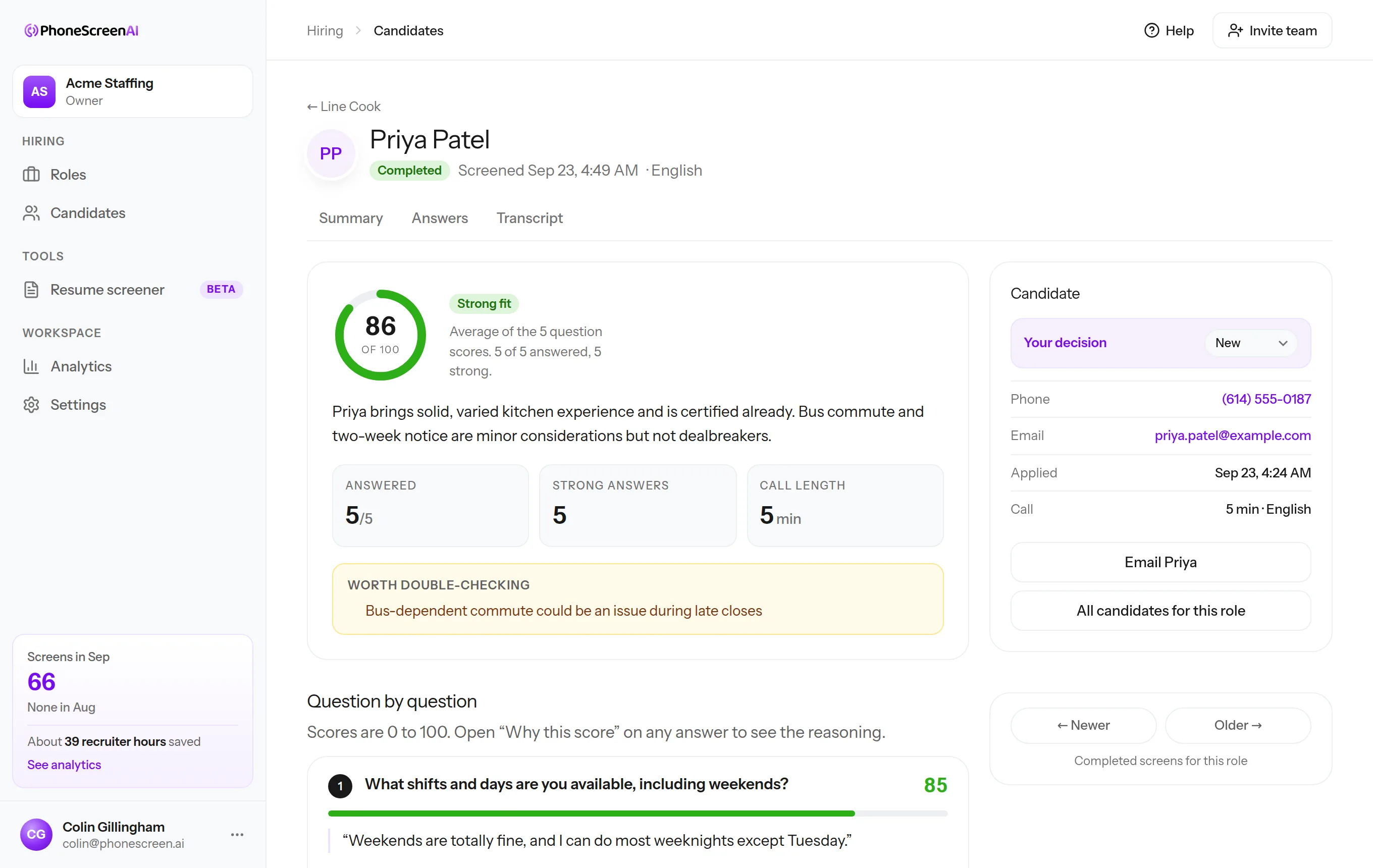
Managers see schedule fit, experience, transportation, and start date before deciding who deserves an in-person conversation.
See the whole screening workflow in 25 seconds
From the candidate’s first call to the scorecard your team reviews, this is how PhoneScreen keeps the process moving.

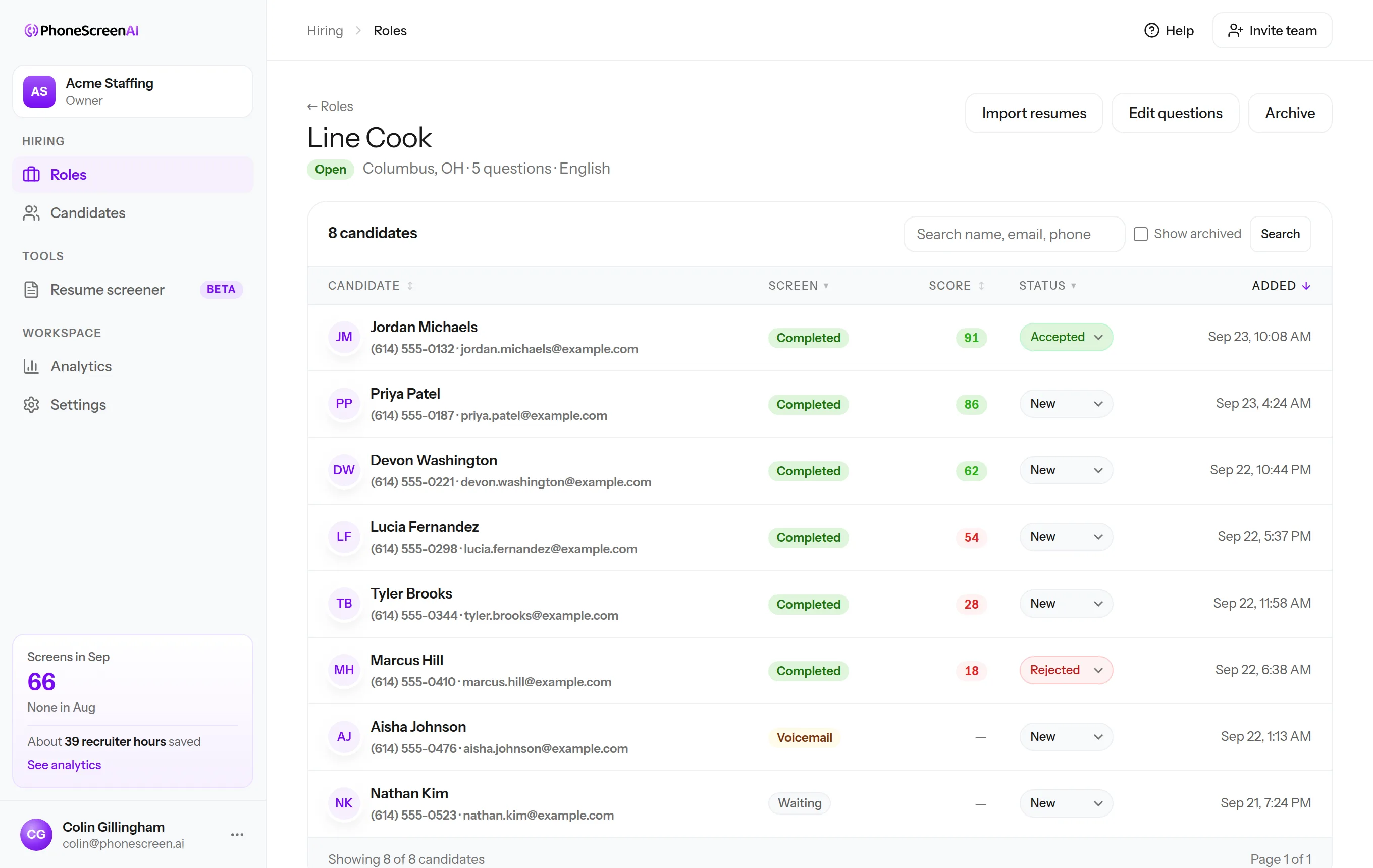
Every candidate, scored, in one list
This is a Line Cook role at Maple & Thyme Bistro, a sample account. Candidates call in, the list fills up, and you open the ones worth a closer look.

“We used to lose 45 minutes per candidate scheduling the call, taking it, and writing it up. Now we send a link, the candidate does the screen whenever it suits them, and I review it on my own time in about five minutes. That time went straight back to our team.”
Three minutes, no account
Be the candidate: take our three-question sample screen, call the number, and get the scorecard in your inbox. Then imagine it running for every applicant to your next opening.
Your phone is about to ring at
Joe from Dunder Mifflin will introduce himself and ask three questions. While you talk, try a few things:
- Cut in mid-sentence and notice the pause
- Give a vague answer and hear the follow-up
- Say you are not interested and hear it wrap up
Your scorecard lands in your inbox about a minute after you hang up.
Also for: home care agencieswarehouses and logisticsstaffing agenciesretail storestrucking companieshotels and hospitalityconstruction companiessecurity companiescall centers and support teamshealthcare and senior livingAll industries
Get your first 10 screens free
Start with 10 one-time free phone screens. No card needed. Then choose a plan from $99/month with included screens and resume screening.