
Automate the phone screen for construction companies with AI.
Crews need people on site Monday. Superintendents screen from the truck, and applicants are working another job when the call comes. PhoneScreen fixes that: send the link to the laborers, carpenters, and equipment operators you choose, they call in and answer your questions, and your team compares scorecards.

A screen built for construction companies
Start from this template and edit anything. Every answer is scored against the question you asked.
- 1Tell me about your last two construction jobs and what trade work you did.
- 2Do you have OSHA 10 or OSHA 30, and any equipment certifications?
- 3Are you comfortable working at heights, outdoors in all weather, and lifting 75 pounds?
- 4Do you have reliable transportation to job sites and your own basic tools?
- 5When could you start, and are you able to pass a drug screen?
A better experience on both sides of construction companies hiring
Applicants get a simple first step that fits around the job. Hiring teams get consistent information they can act on.

Screen before the workday starts
Tradespeople can answer from a quiet site trailer and confirm experience, certifications, transportation, and start date.

Build the Monday crew with better information
Superintendents see the same role-specific answers before choosing who gets the next conversation or site visit.
See the whole screening workflow in 25 seconds
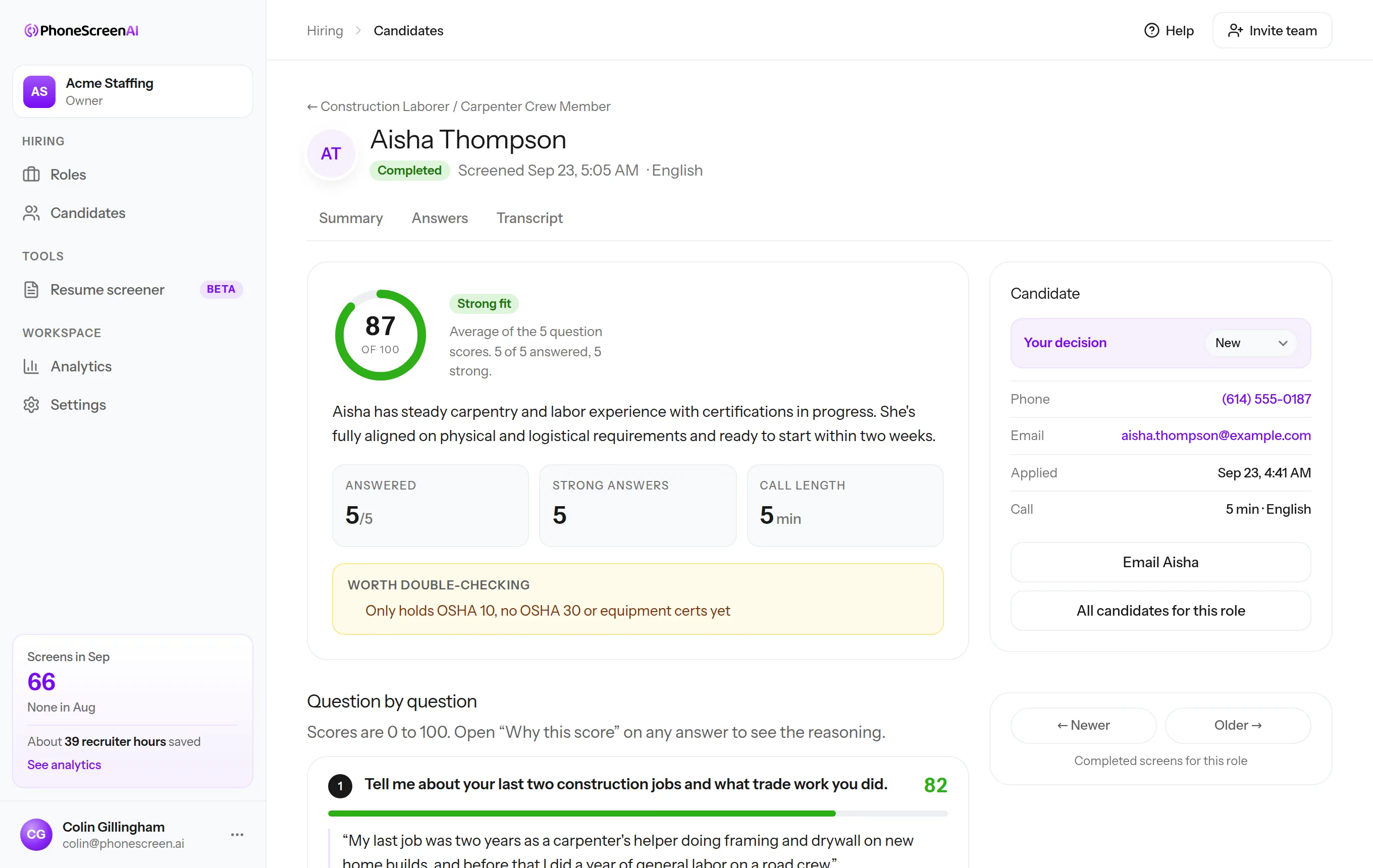
From the candidate’s first call to the scorecard your team reviews, this is how PhoneScreen keeps the process moving.

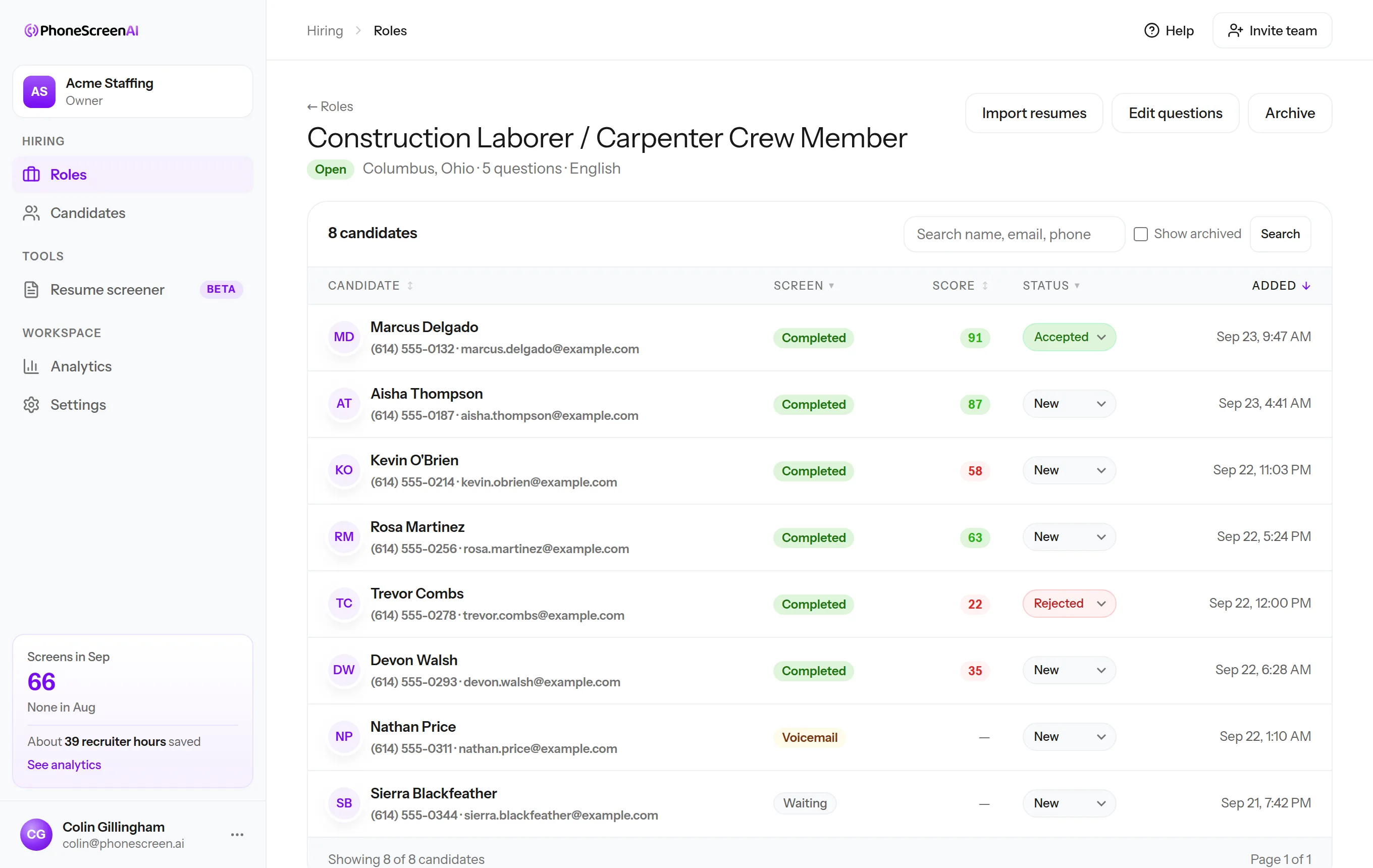
Every candidate, scored, in one list
This is a Construction Laborer / Carpenter Crew Member role at Ironclad Builders Group, a sample account. Candidates call in, the list fills up, and you open the ones worth a closer look.

“We used to lose 45 minutes per candidate scheduling the call, taking it, and writing it up. Now we send a link, the candidate does the screen whenever it suits them, and I review it on my own time in about five minutes. That time went straight back to our team.”
Three minutes, no account
Be the candidate: take our three-question sample screen, call the number, and get the scorecard in your inbox. Then imagine it running for every applicant to your next opening.
Your phone is about to ring at
Joe from Dunder Mifflin will introduce himself and ask three questions. While you talk, try a few things:
- Cut in mid-sentence and notice the pause
- Give a vague answer and hear the follow-up
- Say you are not interested and hear it wrap up
Your scorecard lands in your inbox about a minute after you hang up.
Also for: home care agenciesrestaurantswarehouses and logisticsstaffing agenciesretail storestrucking companieshotels and hospitalitysecurity companiescall centers and support teamshealthcare and senior livingAll industries
Get your first 10 screens free
Start with 10 one-time free phone screens. No card needed. Then choose a plan from $99/month with included screens and resume screening.